
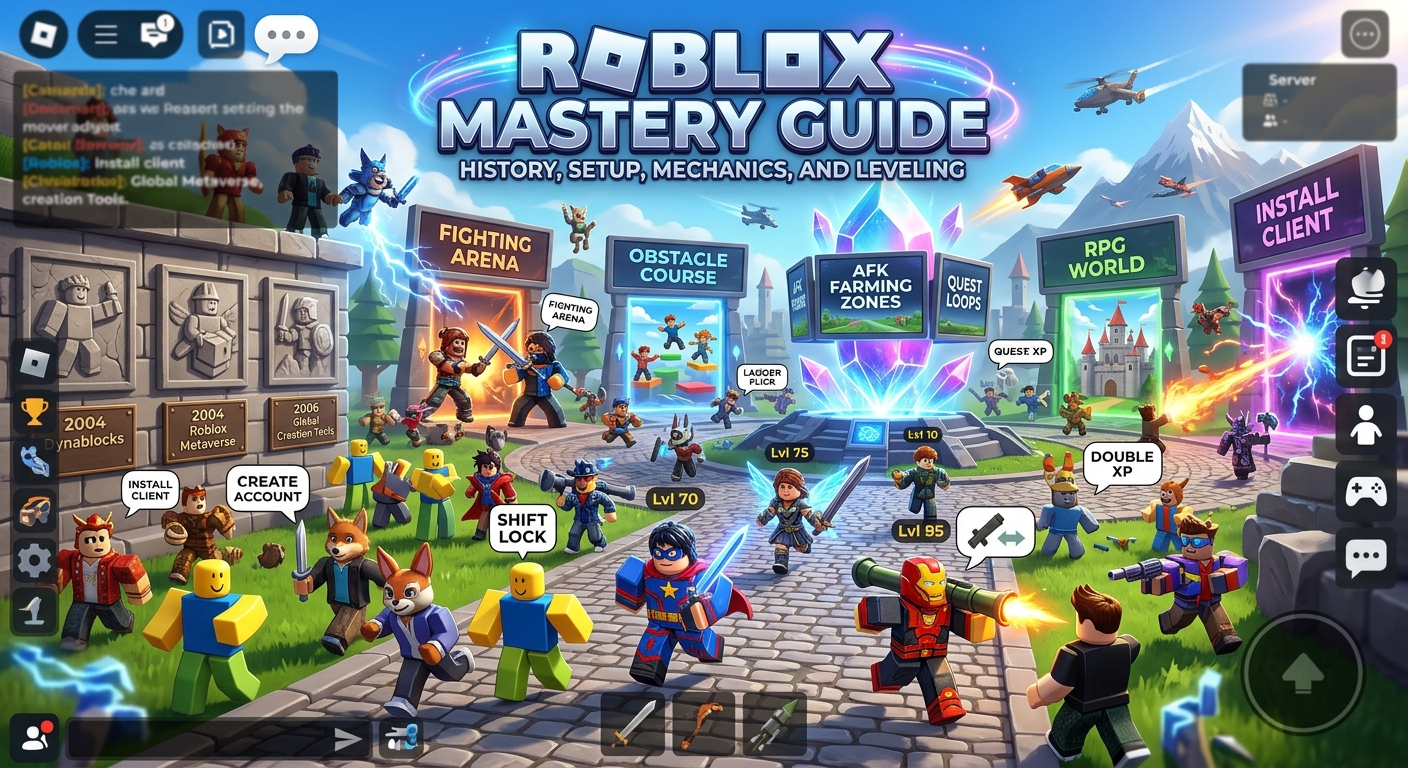
Roblox Mastery Guide: History, Setup, Mechanics, and Leveling
The history of Roblox began in 2004 when co-founders David Baszucki and Erik Cassel created the initial beta platform, originally named DynaBlocks. Rebranded as Roblox in 2005, the online ecosystem officially launched in 2006 with a core mission to empower user-generated content through accessible creation tools.
Over the decades, Roblox evolved from a simple block-building engine into a global metaverse housing millions of user-created experiences. The platform’s proprietary Lua scripting language and continuous engine upgrades have allowed developers to construct complex multiplayer games spanning every genre imaginable.
Installing Roblox across desktop devices is a straightforward process that begins by creating an account on the official website. Downloading the client installer prompts a fast setup wizard that configures the application and links your web browser directly to the launch engine.
Playing on mobile devices or consoles requires downloading the official app directly from the Apple App Store, Google Play Store, or console digital storefronts. Logging into your account syncs all inventory items, Robux balances, and gameplay progress across every device seamlessly.
Navigating the main platform interface allows players to customize their 3D avatars, join friends in active servers, and browse trending experiences. The intuitive search bar and category filters help you discover new genres, from roleplay worlds to competitive battle arenas.
Basic movement controls utilize standard platformer conventions across keyboard, controller, and touch interfaces. Mastering camera manipulation and camera sensitivity adjustments ensures you maintain clear sightlines during intense gameplay sessions across various experiences.
Every Roblox game features unique rules and user interfaces created by independent developers. Checking the description page and control scheme layout before entering a new experience gives you an immediate understanding of core gameplay objectives.
Community features, such as joining developer groups and joining public servers, enhance the social experience. Interacting with active gaming communities opens up opportunities to learn game secrets, trade rare items, and find consistent squad mates.
How to Master Weapon Swapping and Equipment Loadouts
Weapon swapping in competitive Roblox action games relies heavily on keybinding setups and hotbar management. Assigning high-impact weapons to easily accessible numeric slots allows for instant weapon switching during fast-paced combat exchanges.
Executing rapid weapon swaps—often referred to as double-pumping or hotbar cycling—bypasses long weapon draw delays. Switching back and forth between a shot-gun and a secondary sidearm mid-fight lets you maximize your total damage output per second.
Equipping specialized gear items and utility tools alters your character’s combat role instantly. Swapping from an offensive sword loadout to a defensive shield or healing wand provides immediate utility when your team’s defense breaks down.
Managing equipment weight and inventory capacity prevents your avatar from suffering heavy movement penalties in survival experiences. Dropping redundant tools or storing extra weapons in gear chests preserves your base movement speed.
Swapping gear on the fly requires quick hotkey inputs or precise mouse-wheel scrolling. Practicing weapon switch timing in low-stakes training servers builds the necessary muscle memory to perform under pressure.
Weapon animation canceling can be achieved by briefly switching to a mobility tool or utility item right as an attack connects. Canceling the end-lag frame of a heavy swing allows you to block or dodge immediately.
Rotating between long-range rifles and close-quarters melee weapons based on environment layout gives you a distinct combat advantage. Switching to a blade before entering tight indoor corridors ensures you never get caught with an ineffective long-range weapon.
Organizing your hotbar systematically across every game mode creates cross-title consistency. Keeping primary weapons in slot one, secondary tools in slot two, and consumables in slot three eliminates hesitation during surprise attacks.
Essential Gameplay Tactics and Secret Tricks
Shift Lock is an essential built-in mechanic that locks your mouse cursor to the camera perspective for precise third-person aiming. Enabling Shift Lock in the menu allows for tight strafing, flawless movement control, and improved accuracy in Obbies and shooters.
Executing the ladder flick trick lets players launch themselves over tall barriers in obstacle courses. Turning your camera rapidly while climbing and jumping off a ladder generates extra momentum that propels your avatar over high ledges.
Corner-glitching and camera-clipping allow experienced players to peek through solid walls in specific classic engines. Zooming your camera all the way into your avatar while backed against a surface reveals hidden rooms and enemy positions behind doors.
Emote-canceling can alter your avatar’s collision box during high-stakes platforming challenges. Triggering specific dance or sit emotes compresses your character model, allowing you to slip through narrow laser grids or low-hanging traps.
Wall-hopping utilizes tiny alignment offsets between adjoining wall blocks to climb flat vertical surfaces. Tapping the jump button rhythmically while flicking your camera into the seam lets you ascend walls without ladders.
Baiting enemy attacks in PvP games using high-speed strafing forces opponents to waste valuable abilities. Moving unpredictably in a circle around an enemy confuses their lock-on tracking and leaves them exposed to counter-attacks.
Utilizing environmental physics blocks allows for creative mobility solutions in physics-based sandbox games. Stacking objects beneath your character or using explosive recoil propels your avatar across massive map gaps instantly.
Toggling mouse-lock options during vehicle driving sections provides sharper steering responses. Precise camera orientation prevents land vehicles and aircraft from drifting off course during high-speed chases.
Fast Leveling and Progression Strategies
Focusing on quest loops in RPG-style Roblox games provides the highest ratio of experience points to time invested. Systematically clearing main story quests alongside repeatable daily bounties accelerates your level progression exponentially.
Exploiting Double XP events and server boosters maximizes experience gains across long farming sessions. Saving high-reward quest turn-ins and boss raids for double-experience weekends yields massive account level surges.
Joining official game developer groups often awards permanent passive perks, such as a ten percent experience boost or bonus starting currency. Joining these groups requires a single click and grants immediate progression advantages.
AFK farming arenas and auto-clicker training zones allow players to gain steady experience while away from the screen. Utilizing dedicated training areas provided by developers ensures continuous stat gains without risking server disconnects.
Defeating high-level server bosses in coordinated parties awards massive XP drops and elite item drops. Teaming up with high-level players allows lower-level avatars to leech experience points safely from distance positions.
Equipping experience-boosting accessories, pets, and titles amplifies all incoming XP rewards permanently. Prioritizing stat upgrades that boost experience yield over raw damage speeds up your overall journey to max level.
Farming dense clusters of low-health mobs with wide area-of-effect spells levels up your character faster than fighting single high-health targets. Gathering large groups of enemies together ensures every attack yields high overall experience.
Rebirthing or prestiging resets your base level in exchange for permanent stat multipliers and exclusive gear access. Sacrificing current progress via rebirth systems guarantees faster leveling speed on all subsequent playthroughs.