
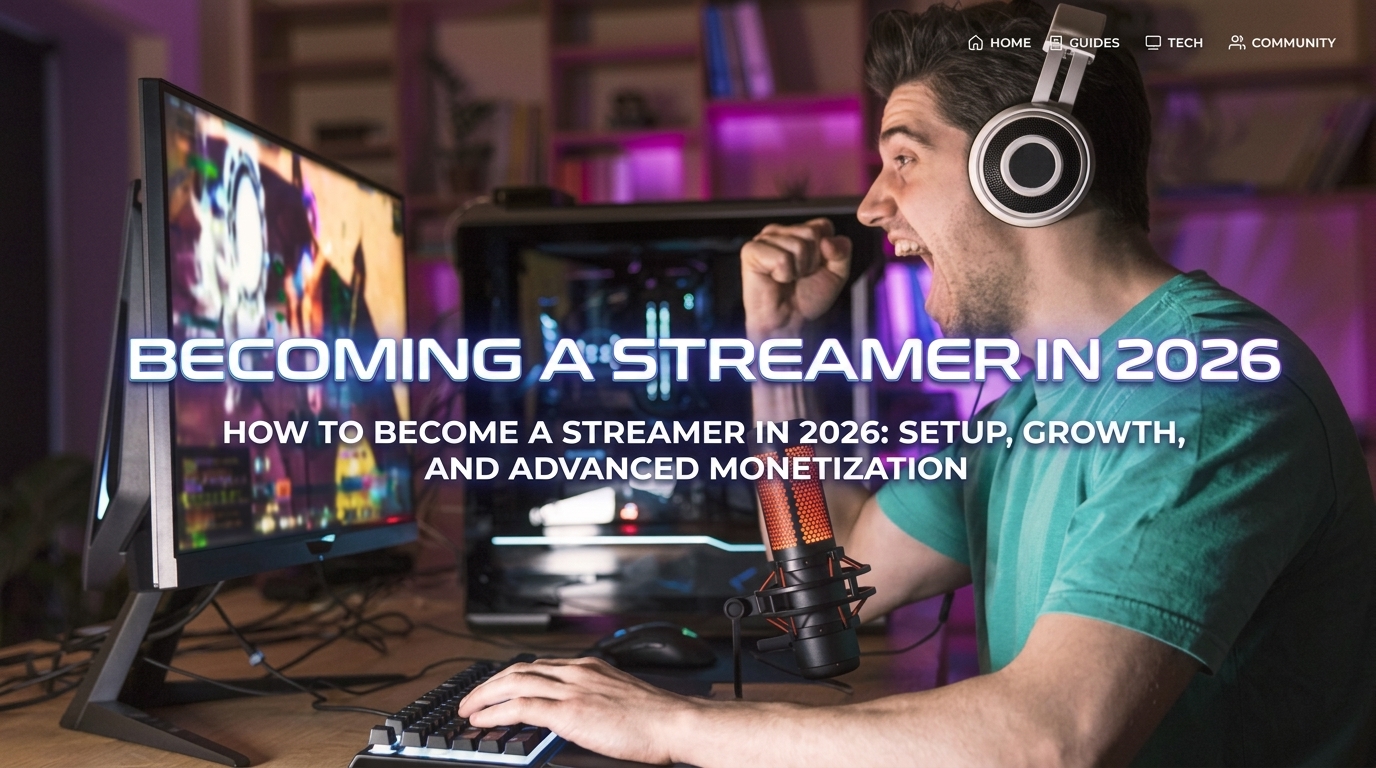
How to Become a Streamer in 2026: Setup, Growth, and Advanced Monetization
Building a successful live streaming channel in 2026 requires adapting to modern broadcasting technology, short-form content funnels, and evolving audience retention algorithms. The digital landscape has moved far beyond simple webcam streams; successful creators now run multi-faceted media brands that integrate high-frame-rate feeds, AI-assisted community moderation, and multi-platform distribution systems. Preparing your equipment, mastering stream software, and optimizing bitrates are essential preliminary steps before launching your first live session. Navigating channel growth involves building an engaging community while leveraging clips across short-form video algorithms on platforms like YouTube, TikTok, and Instagram. This comprehensive guide covers physical hardware setups, software installation procedures, audience interaction techniques, gameplay performance tuning, multi-platform streaming strategies, and modern channel monetization methods.
To initiate your streaming configuration in 2026, start by setting up your dedicated hardware encoder and primary display monitor setup correctly. Connect your high-definition capture card or digital camera feed directly to your main workstation using high-speed USB or PCIe connections to ensure minimum latency. Ensure your graphics card software is fully updated to support modern AV1 encoding codecs, which deliver superior visual clarity at lower overall bandwidth consumption. Install the latest stable release of your preferred open-source broadcasting software from its official distribution repository to guarantee access to full plugin support. Route your primary microphone through a digital audio interface or Virtual Studio Technology host to apply noise suppression, equalization, and dynamic compression before sending audio to the stream. Configure your primary display to match your stream capture resolution, preventing scaling artifacts and unnecessary graphics processor overhead during intense gameplay sequences.
Downloading and configuring modern streaming software is a straightforward process when following a structured setup routine. Launch your web browser, navigate to the official broadcasting software home page, and choose the installation package designed for your operating system. Run the installer executable with administrative privileges, selecting default file directories to maintain compatibility with third-party audio and visual plugins. Once installation completes, open the application and initiate the auto-configuration wizard to benchmark your system performance and network upload capacity. Input your platform stream key or link your user account directly within the software settings menu to enable seamless one-click broadcasting features. Create separate scene collections for your main gameplay view, full-screen camera chat setup, and intermissions screens to maintain professional production quality throughout broadcasts.
Optimizing your encoding configuration prevents dropped frames, visual distortion, and audio desynchronization during live sessions. Access the output settings tab within your broadcasting software and set the output mode to advanced for precise control over your stream parameters. Select AV1 or NVENC hardware encoding as your primary video encoder, shifting heavy compression tasks away from your primary central processing unit. Adjust your target video bitrate based on your internet connection’s stable upload headroom, aiming for standard high-definition rates between 6000 and 8000 kilobits per second. Configure keyframe intervals to precisely two seconds, ensuring complete compatibility across all major video streaming ingest servers worldwide. Set your audio track bitrate to 160 or 320 kilobits per second using AAC encoding to deliver crystal-clear voice audio and immersive game soundscapes.
Audio routing and microphone processing form the technical backbone of viewer retention, as poor sound quality drives audiences away faster than low frame rates. Position your dynamic or condenser microphone roughly four to six inches from your mouth at a slight angle to minimize plosive noise bursts. Apply a noise gate plugin within your audio mixer to automatically mute the microphone channel whenever ambient room noise drops below your speech threshold. Add a subtle high-pass filter to roll off frequencies below 80 Hertz, eliminating low-end desk rumbles and mechanical keyboard resonance cleanly. Integrate a soft knee compressor to smooth out sudden volume spikes when shouting or reacting passionately during gameplay moments. Test your complete audio chain using headphones in preview mode to verify that background music, game audio, and your voice balance perfectly.
Structuring your physical streaming space requires strategic lighting placement, ergonomic seating adjustments, and effective acoustic treatment. Place your primary key light at a 45-degree angle from your face to create natural depth without blinding your vision during long broadcasts. Add a softer fill light on the opposite side to balance dark shadows, complemented by an accent backlight behind your chair to separate your silhouette from the room background. Soundproof your immediate recording environment using acoustic foam panels or heavy fabric curtains to eliminate harsh room echo and reverberation. Adjust your monitor heights so the top third of your screens align with your eyes, preventing neck strain during multi-hour content creation marathons. Maintain organized cable management solutions behind your desk to prevent accidental hardware disconnects or electrical interference across signal wires.
Establishing a reliable streaming schedule creates viewer habits and improves platform algorithm recommendations over time. Decide on specific broadcast days and locked start times, displaying your weekly schedule clearly across your channel banners and social media profiles. Consistency signals professionalism to prospective sponsors and dedicated audience members who tune in regularly around their daily routines. Avoid burnout by scheduling mandatory rest days and allocating off-stream hours strictly for video editing, social promotion, and administrative tasks. Focus on stream quality and interactive energy rather than grinding endless low-effort broadcast hours to empty audience lobbies. Treat your channel like a professional broadcast network where viewers know exactly what time to expect live, high-value entertainment.
Audience Engagement, Chat Integration, and Community Management
Fostering interactive viewer communication requires active chat monitoring, clear voice delivery, and personalized audience recognition tactics. Position your chat panel window directly adjacent to your primary camera lens or main display monitor to maintain steady eye contact while reading messages. Acknowledge new followers, regular chatters, and gift supporters by name without letting stream pacing grind to a complete halt during gameplay. Ask open-ended questions about gaming topics, industry news, or viewer preferences to keep chat conversations moving naturally. Use custom channel point rewards that allow viewers to trigger light alerts, sound bites, or funny visual overlays during live sessions. Building a welcoming environment turns passive viewers into active community members who return for every scheduled broadcast session.
Configuring automatic moderation tools and chat bots protects your community from toxic behavior, spam accounts, and unwanted promotional links. Integrate cloud-based moderation bots to enforce channel rules, block prohibited word lists, and limit repetitive capital letter or emote usage. Assign trusted community members who attend your broadcasts regularly to active channel moderator positions with administrative permissions. Establish clear, visible channel rules outlining acceptable chat etiquette, harassment bans, and self-promotion restrictions on your profile page. Enable account verification features within your channel dashboard, requiring viewers to verify email addresses or phone numbers before chatting. Maintaining a safe, well-moderated chat room encourages higher viewer engagement and keeps corporate sponsors comfortable with your channel brand.
Designing custom stream overlays, alert graphics, and channel emotes establishes a distinct brand identity across digital platforms. Keep graphic overlays minimal and clean, avoiding bulky frames that obscure important gameplay HUD elements or camera feeds. Utilize dynamic alert animations with clear audio notifications to celebrate subscriber spikes, raids, and community goals in real time. Craft iconic, readable emotes that represent running channel inside jokes, favorite character faces, or custom brand logos for chatter expressiveness. Maintain uniform color palettes, typography styles, and graphic themes across your stream layout, social media assets, and channel panels. Professional visual presentation instills immediate trust in first-time viewers dropping into your broadcast room.
Mastering multi-tasking allows you to maintain continuous verbal commentary while simultaneously controlling stream software, chat feeds, and complex game controls. Train yourself to talk out loud about your internal decision-making processes, game strategies, and humorous observations constantly. Avoid long periods of complete silence, especially during slow gameplay segments or menu loading screens across your broadcast session. Use stream deck hardware shortcuts or foot pedals to trigger scene transitions, mute microphone channels, or play sound clips seamlessly. Practice monitoring chat speed out of your peripheral vision so you can respond naturally during minor gameplay pauses or match transitions. Continuous commentary keeps new viewers entertained immediately upon clicking into your stream channel.
Organizing interactive community events, multiplayer lobbies, and subscriber tournaments deepens audience loyalty beyond standard stream viewing. Host dedicated viewer game nights where followers can join your party lobby or participate in custom game matches live on stream. Set up a dedicated Discord server organized with text channels, voice rooms, and announcements to keep your community connected off-stream. Create custom leaderboards, challenge rewards, or digital badges for viewers who win channel tournaments or participate in events. Use community polls during broadcasts to let your chat audience decide what games you play, strategy paths you take, or challenges you attempt. Direct audience participation transforms passive media consumption into a collaborative entertainment experience for everyone involved.
Analyzing audience retention metrics and stream analytics helps you identify peak viewing hours, popular content segments, and drop-off points. Access your stream dashboard after every broadcast session to review peak concurrent viewership, average view duration, and chat message totals. Cross-reference viewer drop-off spikes with your recorded stream VOD to pinpoint unengaging gameplay moments or technical issues. Identify which specific game titles or special broadcast formats generate the highest conversion rate of new followers and subscribers. Adjust your upcoming broadcast schedule to focus heavily on time slots that consistently produce high viewer engagement numbers. Data-driven adjustments refine your content presentation and accelerate overall channel growth efficiency over time.
Short-Form Content Funnels, Social Algorithms, and Multi-Platform Distribution
The modern streaming growth funnel relies almost entirely on converting short-form video content into live stream audience traffic across major social platforms. Raw live streams rarely get recommended to new viewers directly, making external video distribution on TikTok, Shorts, and Reels essential. Edit your stream’s most hilarious moments, insane gameplay plays, and witty chat interactions into vertical 90-second video clips. Add bold, readable captions across your short-form edits to ensure viewers understand the video without needing their device audio turned on. Hook the viewer’s attention within the first three seconds of the clip with high-energy visuals or intriguing conversational statements. Direct interested viewers toward your live channel by featuring your broadcast schedule and platform links prominently across your social profiles.
Utilizing dedicated clipping software and automated hotkeys during broadcasts allows you to capture memorable moments instantly without interrupting your game flow. Map a dedicated hotkey on your stream controller to save the last thirty to sixty seconds of video buffer memory to your local storage drive. Use automated clipping tools that monitor chat velocity spikes or loud voice bursts to flag potential clip candidates automatically. Review your saved clip folder after each stream session, selecting the absolute best moments for vertical video re-formatting and editing. Organize your clip library with descriptive file names, categorizing clips into epic plays, funny fails, and interactive chat moments. Maintaining a consistent pipeline of high-quality clips ensures you never run out of daily social media content.
Cross-posting short-form content strategically across multiple video algorithms maximizes your overall brand exposure while spending minimal extra editing time. Export your finalized vertical clips in universal standard MP4 formats at 1080×1920 resolution matching native mobile screen displays. Upload your clips natively to TikTok, YouTube Shorts, Instagram Reels, and prospective emerging video networks independently rather than using watermarked exports. Write engaging, concise titles with relevant trending hashtags tailored specifically to each individual platform’s search index algorithms. Schedule video posts during high-traffic afternoon and evening hours when target gaming demographics are actively browsing mobile apps. Consistent daily uploads across four distinct platforms quadruples your chances of hitting viral algorithm recommendations.
Collaborating with fellow streamers and participating in channel raids expands your reach across overlapping gaming communities organically. Reach out to creators who broadcast similar game titles, share comparable channel sizes, and maintain similar content vibes for co-op stream sessions. Organize multiplayer squad streams, podcast discussions, or head-to-head competitive matches that leverage both creator audiences simultaneously. End your live broadcasts by raiding or hosting another active creator, transferring your active viewer pool directly into their chat room. Building genuine relationships with peer creators leads to organic channel references, joint content projects, and long-term networking opportunities. Authentic community networking creates mutual growth support structures that benefit all involved creators over time.
Leveraging trending gaming news, major update launches, and viral Internet memes keeps your channel content timely and culturally relevant. Stay informed about upcoming game release dates, major patch notes, and emerging indie title trends by following industry news feeds daily. Plan special launch-day endurance streams or educational guide broadcasts when highly anticipated video games drop officially. Create educational video shorts or tutorial streams explaining complex mechanics, hidden secrets, or optimal gear setups for new games. Adapt viral sound effects, popular video formats, and trending internet jokes into your gaming content to boost shareability. Being early to cover new gaming trends positions your channel as a primary destination for relevant genre information.
Diversifying your live streaming distribution by utilizing multi-streaming software allows you to reach viewers across multiple platform ecosystems at once. Utilize cloud-based multi-streaming services to broadcast your single video feed to YouTube, Twitch, Kick, and social networks simultaneously without extra hardware strain. Manage aggregated chat windows that combine messages from all target platforms into a single unified stream overlay view for easy reading. Compare viewer retention numbers, monetization conversion rates, and chat activity levels across each platform over extended test periods. Tailor your call-to-action prompts to match the specific features of each platform you broadcast to concurrently. Broadening your platform footprint protects your content business against sudden algorithm changes or single-network platform declines.
Gameplay Performance Tuning, PC Optimization, and Network Stability
Optimizing your PC operating system and GPU settings ensures maximum game frame rates while running heavy background streaming software. Enable Game Mode within your operating system settings to prioritize system hardware resources directly toward your active game window. Disable unnecessary startup applications, background cloud syncing programs, and web browser hardware acceleration features before initiating your live stream. Set your graphics processing unit power management settings to maximum performance mode to avoid clock speed throttling during heavy gameplay. Utilize dynamic resolution scaling within modern game titles to hold steady target frame rates during intense visual effect sequences. Smooth game performance reduces input lag and prevents frame dropping on your outgoing video stream encoder.
Establishing a rock-solid network connection is absolute baseline requirement for broadcasting stable, high-definition video feeds without interruption. Never broadcast your live stream over wireless Wi-Fi connections; always use a physical, shielded Ethernet cable connected directly to your network router. Contact your internet service provider to verify you possess a high upload bandwidth tier, ideally securing 20 Megabits per second or higher upload capacity. Configure quality of service settings on your local router to prioritize network traffic from your streaming computer over other household devices. Run continuous ping tests and upload speed benchmarks to verify line stability before going live during peak traffic hours. A stable connection ensures your viewers enjoy smooth video playback without constant buffering circles or connection drops.
Configuring duel-PC streaming setups isolates your heavy gaming workload onto one system while managing stream rendering on a second dedicated computer. Connect the video output of your primary gaming computer into a high-end capture card installed inside your secondary encoding machine. Route your gaming system audio using virtual audio cables or hardware mixers to send clear, uncompressed sound into the capture rig. The secondary streaming system handles video encoding, chat bots, stream overlays, and recording software without impacting your gaming frame rates. This dual-system separation completely eliminates stream drops caused by game crashes or heavy central processing unit spikes. Advanced creators utilize dual-PC setups to deliver uncompromised, esports-level gaming performance alongside ultra-high-quality video streams.
Fine-tuning your web camera settings, focus controls, and color calibration creates a crisp, professional camera display on your channel layout. Disable automatic focus features on your digital camera, setting manual focus distance directly on your face to prevent annoying focus hunting. Lock your camera white balance manually to match the exact color temperature of your room’s LED lighting setup completely. Adjust manual exposure and ISO settings downward to eliminate digital noise grain, relying on your bright physical lights for clean illumination. Utilize software LUTs or color grading filters within your broadcasting app to enhance skin tones and color saturation naturally. A crisp, properly lit camera feed allows your viewers to connect with your expressions and reactions instantly.
Managing system temperatures and hardware cooling ensures your rig maintains peak performance during long, multi-hour broadcast sessions. Clean dust filters and internal fan blades regularly to maintain optimal airflow across your CPU heatsink and GPU radiators. Monitor system temperatures using software overlays during long streams to ensure components remain within safe thermal operating limits. Set aggressive custom fan curves within your hardware control software to ramp up cooling fans before heat builds up during intense gaming sessions. Ensure your computer case sits elevated off carpeted floors in a well-ventilated area with ample room for exhaust airflow. Keeping hardware cool prevents thermal throttling that causes sudden frame stuttering or unexpected system shutdowns on stream.
Setting up backup power supplies and contingency plans protects your broadcast against sudden electrical outages or minor technical glitches. Connect your computer, primary monitor, and networking hardware to an uninterruptible power supply battery unit to prevent instant power cuts. Configure hotkey scenes in your streaming software that immediately display a temporary technical difficulties screen if game software crashes. Keep a secondary mobile hotspot or mobile internet connection configured and ready for immediate network failover switching if primary lines fail. Maintain written logs of all software settings and plugin configurations to restore your setup quickly in the event of system updates or crashes. Being prepared for technical hiccups keeps your broadcast professional and calm when unexpected issues arise on air.
Streamer Health, Mental Conditioning, and Schedule Sustainability
Maintaining long-term mental health and physical well-being is critical for building a sustainable content creation career without burning out. Establish strict boundaries between your online broadcasting persona and your private personal life away from computer screens. Take mandatory ten-minute stretch and hydration breaks for every hour of active continuous streaming to preserve physical wellness. Invest in a high-quality ergonomic office chair that provides proper lumbar support and maintains healthy posture throughout long broadcasts. Avoid reading toxic internet comments or harassing social media messages outside of your scheduled broadcast moderation hours completely. Prioritizing your physical health ensures you maintain the high energy levels needed to entertain audiences for years.
Developing healthy vocal hygiene practices prevents vocal cord strain, hoarseness, and permanent vocal damage over extended broadcasting sessions. Warm up your voice before going live using simple vocal scale exercises, gentle humming, and relaxed breathing techniques. Keep a large bottle of room-temperature water at your desk, sipping fluids continuously throughout your stream to keep your vocal cords hydrated. Avoid screaming over-enthusiastically into your microphone repeatedly, letting your dynamic audio compressor handle volume boosts naturally instead. Rest your voice completely on off-stream days, minimizing heavy talking or shouting in noisy social environments. Protecting your voice ensures you can deliver clear, expressive commentary without suffering painful vocal fatigue over time.
Managing viewer expectations and setting healthy emotional boundaries prevents parasocial stress and audience burnout. Remind your community politely that while you appreciate their presence, you cannot offer professional life coaching, therapy, or private personal contact. Avoid sharing private personal details such as your exact physical location, daily offline routines, or sensitive family information on air. Enforce strict privacy rules across your public Discord server to keep online discussions focused strictly on gaming and community topics. Handle difficult or disruptive viewers through quiet moderation bans rather than getting drawn into emotional, public arguments on stream. Maintaining professional creator-viewer boundaries creates a healthy online environment for both you and your community members.
Balancing full-time employment or educational commitments alongside a growing stream schedule requires rigorous time management discipline. Allocate specific calendar blocks for stream preparation, active broadcasting, video editing, and personal relaxation strictly every week. Utilize project management apps to organize your upcoming content ideas, video thumbnail designs, and brand deal deliverables efficiently. Avoid sacrificing essential sleep hours to push out extra stream time, as fatigue drastically diminishes your on-camera energy and charisma. Treat your available streaming hours as high-density work windows where you execute focused tasks without getting distracted by social media. Disciplined scheduling allows you to grow your channel steadily without damaging your offline responsibilities or personal life balance.
Cultivating high energy levels and charismatic on-camera presence requires deliberate preparation before hitting the go-live button on your software. Perform brief physical exercises or light stretches right before your stream to boost blood circulation and elevate your mood naturally. Put away personal stressors and offline worries completely before starting your broadcast, stepping into your energetic content creator mindset intentionally. Consume balanced, nutritious meals prior to streaming to avoid sudden energy crashes or stomach discomfort mid-broadcast on camera. Smile genuinely when welcoming new viewers into chat, matching your facial expressions to the upbeat tone of your commentary. Controlled, positive energy naturally attracts viewers and makes your stream an enjoyable space to hang out in.
Handling channel growth plateaus and metric fluctuations with emotional resilience prevents creator fatigue and lost motivation. Understand that online viewership numbers fluctuate naturally based on seasonal changes, game popularity cycles, and platform algorithm shifts. Shift your focus away from real-time view counts by hiding your live viewer counter during active streaming sessions. Celebrate qualitative community milestones, such as high-quality chat interactions and loyal regular viewers, rather than focusing purely on raw numbers. Experiment with fresh content formats, new game genres, or creative broadcast themes when feeling creatively stuck or uninspired. Long-term channel success belongs to creators who remain adaptable, patient, and persistent through temporary growth lulls.
Channel Monetization, Brand Partnerships, and Business Management
Diversifying your income streams beyond basic platform ad revenue is essential for building a stable financial career as a content creator. Enable channel memberships, subscriber tiers, and custom bits features to give your core fans direct ways to support your work financially. Set up direct donation links through secure third-party payment processors to lower transaction fees compared to platform subscription splits. Offer exclusive perks for paid supporters, such as custom Discord roles, private game nights, and early access to edited YouTube videos. Design high-quality, custom physical merchandise lines featuring popular channel slogans, cool art, and branded apparel for your community. Relying on multiple revenue channels protects your streaming business from platform payout policy changes or ad rate drops.
Securing corporate brand sponsorships requires creating a professional media kit that highlights your channel demographics, engagement rates, and viewer totals. Package your audience statistics into a clean, single-page PDF document detailing your average concurrent viewers, monthly social media impressions, and viewer geographic locations. Reach out directly to gaming peripheral brands, energy drink companies, and software developers with personalized email proposals explaining mutual marketing value. Execute sponsored game activations, product reviews, and brand integrations authentically, ensuring sponsored products genuinely fit your channel niche. Always fulfill contract deliverables punctually, delivering detailed post-campaign performance reports to your brand managers after the promotion concludes. Professional sponsor relationships lead to lucrative long-term brand partnerships and recurring sponsorship deals over time.
Navigating digital copyright regulations and Fair Use guidelines protects your channel from sudden copyright strikes, mute penalties, and channel bans. Never play commercial DMCA-protected music tracks during your live streams unless you own explicit licensing rights or permission from copyright owners. Utilize royalty-free music libraries, streamer-safe audio subscriptions, or copyright-cleared instrumental tracks for your background broadcast audio. Verify that the video games you broadcast publicly permit commercial live streaming and monetization under their publisher terms of service. Keep your stream VOD audio tracks separate from your master broadcast output, isolating music channels to prevent VOD muting on video platforms. Operating your channel fully within legal copyright parameters safeguards your hard-earned community and content library from deletion.
Managing your creator income, business taxes, and operational expenses professionally ensures long-term financial stability and legal compliance. Register a formal business entity, such as a Limited Liability Company, to separate your personal assets from your streaming business liabilities. Open a dedicated business bank account to track all channel revenues, hardware purchases, software subscriptions, and internet utility expenses cleanly. Set aside roughly thirty percent of every incoming payout into a separate tax savings account to cover quarterly estimated tax obligations easily. Keep detailed receipts for all claimable business deductions, including computer hardware upgrades, lighting gear, games, and home office space usage. Consulting with a certified accountant specializing in digital content creation ensures you maximize tax savings while remaining fully compliant with laws.
Reinvesting channel profits into continuous hardware, production, and editing upgrades accelerates your overall broadcast quality and channel growth. Prioritize hardware upgrades that directly improve viewer experience, such as higher quality microphones, better camera lenses, and brighter studio lighting. Outsource time-consuming video editing tasks to professional freelance editors as soon as your channel generates consistent financial profit. Hire freelance graphic artists to design custom thumbnail templates, stream overlay animations, and unique emote assets for your brand space. Invest in high-speed internet upgrades, backup equipment, and professional productivity software to streamline your workflow pipeline. Continuous investment back into your content infrastructure keeps your broadcast modern, competitive, and highly entertaining for your growing global audience.